
































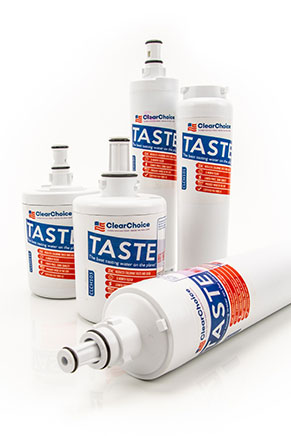
The original OEM for the ULTRAWF water filter model is the PureSource Ultra Filter by Frigidaire. The PureSource Ultra filter purifies your water supply by using advanced filtration technologies, which creates clearer ice and cleaner, better tasting water. So what exactly does this filter protect your home from? Public health and environmental organization NSF/ANSI International deemed the Frigidaire filter fit to handle some of the most potentially harmful contaminants found in water. Such contaminants your water is safe from with this OEM filter include lead, atrazine, lindane, cysts, chlorine, and giardia. Due to its filtering performance, the NSF/ANSI certified the Frigidaire filter for meeting both international Standard 42 and Standard 53. It should be noted that water filters should be changed at least once every six months for optimum filtration performance.
Replacement Refrigerator Filters for ULTRAWF
Product Description
The ULTRAWF water filter is used in a variety of refrigerators. It is a replacement for many refrigerators by Frigidaire. The ULTRAWF replaces multiple filter part numbers. It is compatible with such part numbers as 46-9999, 242017800, ULTRA-WF, and more. DiscountFilters.com offers the ULTRAWF with a one year compatibility guarantee. Check our cross reference chart below to see if your part number is a match. The replacement ULTRAWF is an attractive water filter for many reasons. It can remove unhealthy contaminants found in your water supply. The ULTRAWF protects against chlorine, chemicals, cysts and dirt. Your home will have cleaner and fresher water if used correctly. This replacement filter, ULTRAWF should be changed every 6 months. Change sooner if your home uses a lot of water. The ULTRAWF is a fantastic water filtration option. DiscountFilters.com guarantees your satisfaction with this product.
Installation
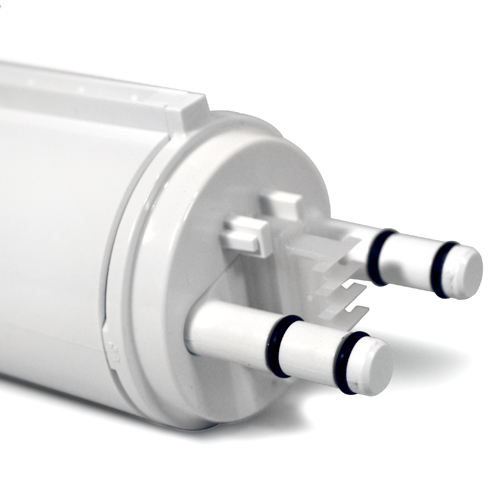
Installation Instructions:
- Turn Off the ice maker by raising the wire signal arm.
- Remove the filter by pushing on the end/face of the filter.
- Slide the old water filter cartridge straight out of the housing and discard it.
- Using the alignment guide, slide the new filter gently into the filter housing. Push the filter in slowly until you hear the first "click." Once you hear the "click" stop pushing and the filter should lock in place.
- Turn On the ice maker by lowering the wire signal arm.
- Press and hold the Water Filter button on the Ice & Water Dispenser control panel for three seconds. When the display changes from Red to Green, the status has been reset.
- After replacing the water filter and in order for the ice maker to work properly, it is necessary to clear air from water filter tubing. Once ice maker begins making ice, allow the bucket to fill completely, then discard the first TWO FULL buckets of ice. It will take at least two days to completely fill the bucket on regular ice making mode or 1 1/2 days on fast ice mode.
Cross-Compatibility
The filters below are 100% compatible with part number ULTRAWF
Product Comparison
Marvel at the specifications of our ULTRAWF compatible filters.
The DiscountFilters.com Difference
- Free Shipping on Qualifying Orders (Same Day)
- Free Returns For 1 Year
- 100% Compatibility Guarantee
- Made With Care in Indiana USA