































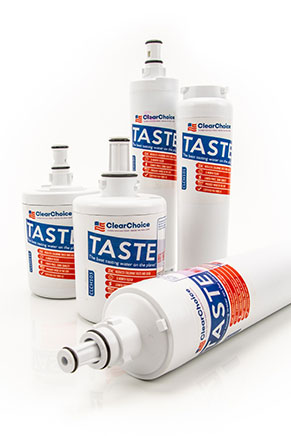
The EcoAqua Eff-6006A (DA29-00012A) filter is designed to effectively reduce pollutants that can be found in your water supply such as chlorine, minerals and more. The EcoAqua filter also has excellent flow rate, filtering capacity, operating temperature, and pressure range. The filter is guaranteed to fit into any refrigerator model that uses the DA29-00012B / DA29-00012A or compatible filter. The EFF-6006A filter is available in a convenient 3-pack that can give your home fresh water for up to 18 months.
Replacement Refrigerator Filters for DA29-00012A
Product Description
The DA29-00012A refrigerator water filter can be used in many refrigerator models built by brands like Samsung, Kenmore, and others. The Samsung Aqua-Pure Plus DA29-00012B water filter is the original filter made with OEM Parts.It has also been certified to meet NSF/ANSI standards 42 and 53, meaning it is certified to remove chlorine and other impurities from your water. The Swift Green SGF-DSA21 replacement filter is a cost effective and excellent alternative to the OEM model. The Swift Green SGF-DSA21 is an aftermarket filter that has comparable features to the Samsung DA29-00012B. Both of the filters are carbon based filters, but the Swift Green uses a newer technology that carbonizes coconut shells for a more environmentally friendly production. If replaced every six months, both replacement filters will provide you with the best water and ice quality possible.
Installation
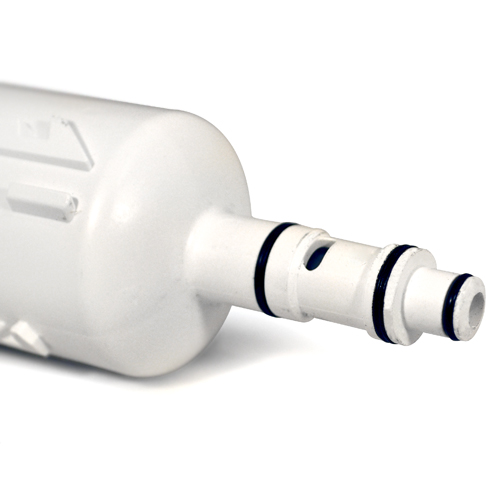
How To Install The DA29-00012A Filter:
- Open front cover of the refrigerator filter housing in the upper right corner of your refrigerator compartment
- Remove the old cartridge by pushing in on the cartridge - it will eject with a clicking sound
- Insert new cartridge by pushing it into the housing until it clicks. Close the front cover of the refrigerator filter housing
- Flush the refrigerator water system after replacing the water filter cartridge. Sputtering may occur until air is purged from water line and filter
- Reset water filter status display - replace filter every 9 months
Cross-Compatibility
The filters below are 100% compatible with part number DA29-00012A
14 compatible alternative filter models below.
8808979676224
DA29-00012A
DA29-00012B
DA2900012A
DA2900012B
DA97-03175A
DA97-03175A-B
EFF-6006A
HAF-CN
HAFCN
PS1154348
PS2123061
PS2389167
SGF-DSA21
Product Comparison
Marvel at the specifications of our DA29-00012A compatible filters.
The DiscountFilters.com Difference
- Free Shipping on Qualifying Orders (Same Day)
- Free Returns For 1 Year
- 100% Compatibility Guarantee
- Made With Care in Indiana USA